Skip to content

The board, up close.

See what your guests see behind the bar. Try the changes you can make from your phone.

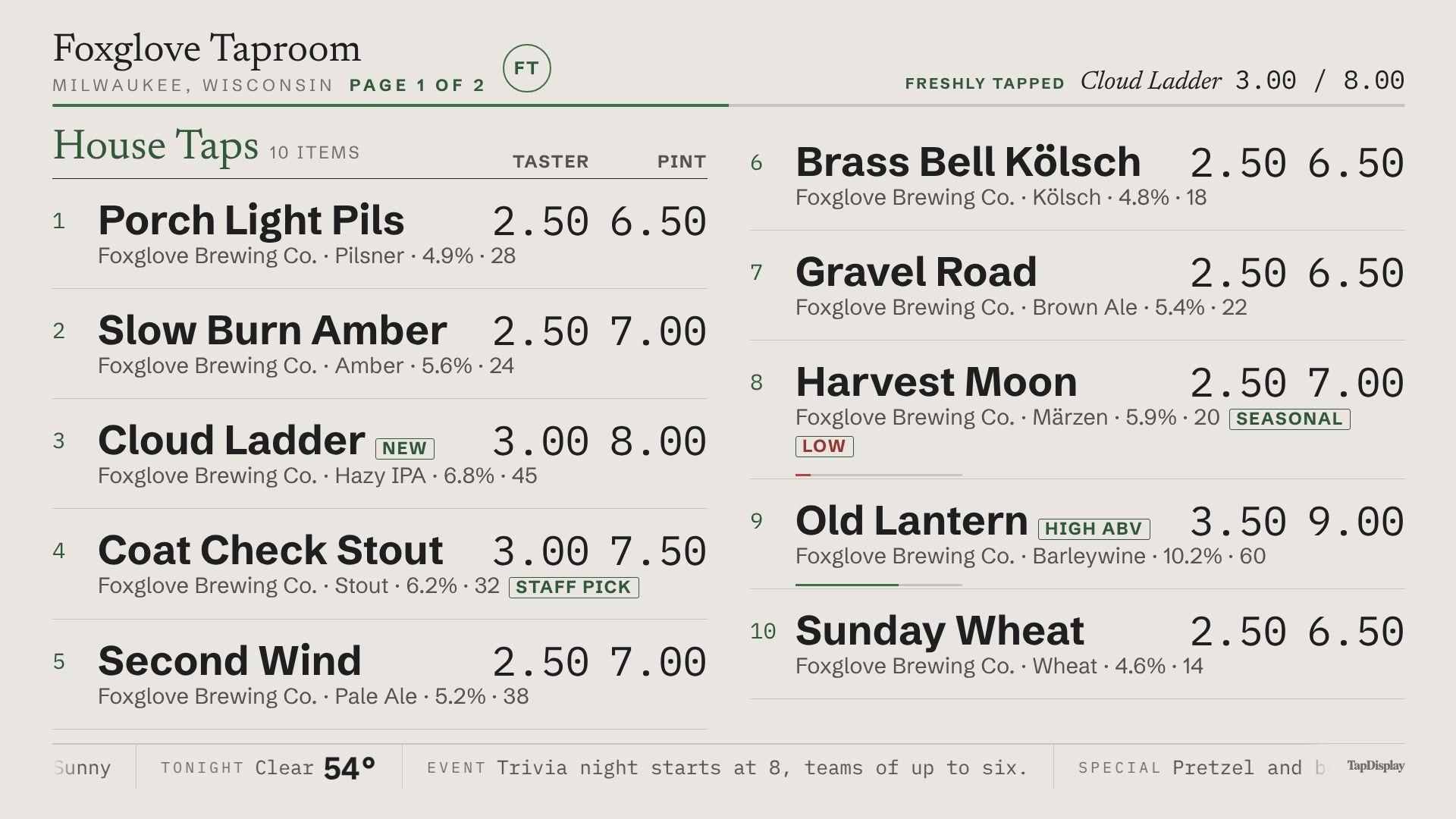
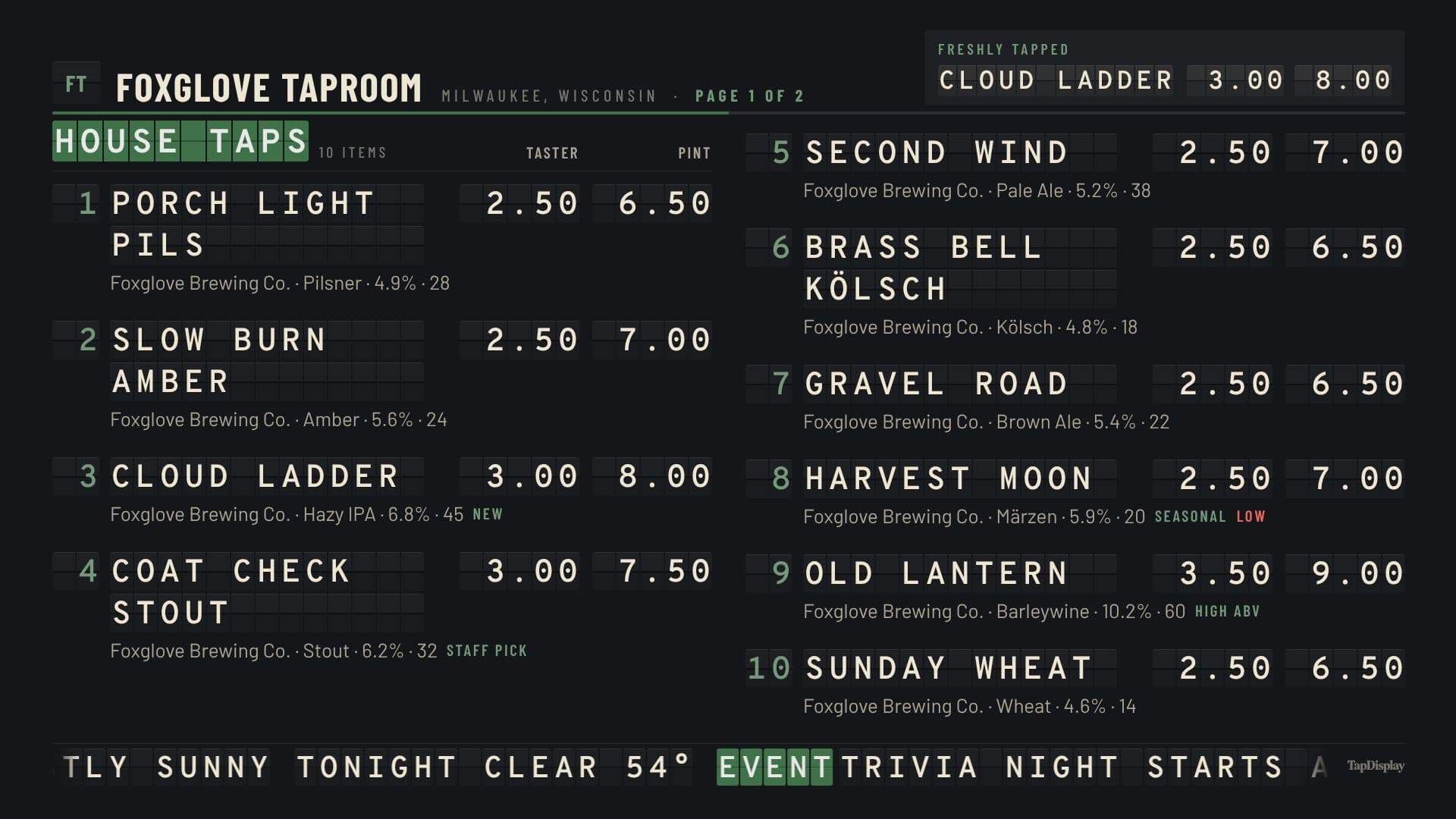
The Foxglove Taproom tap list on the Tessera look, with numbered notes
Sample taproom, made up for this site.

Nineteen looks.

Pick the one that fits the room. Your logo and your color go on every one. Each screen can wear its own, and a look can change on a schedule.

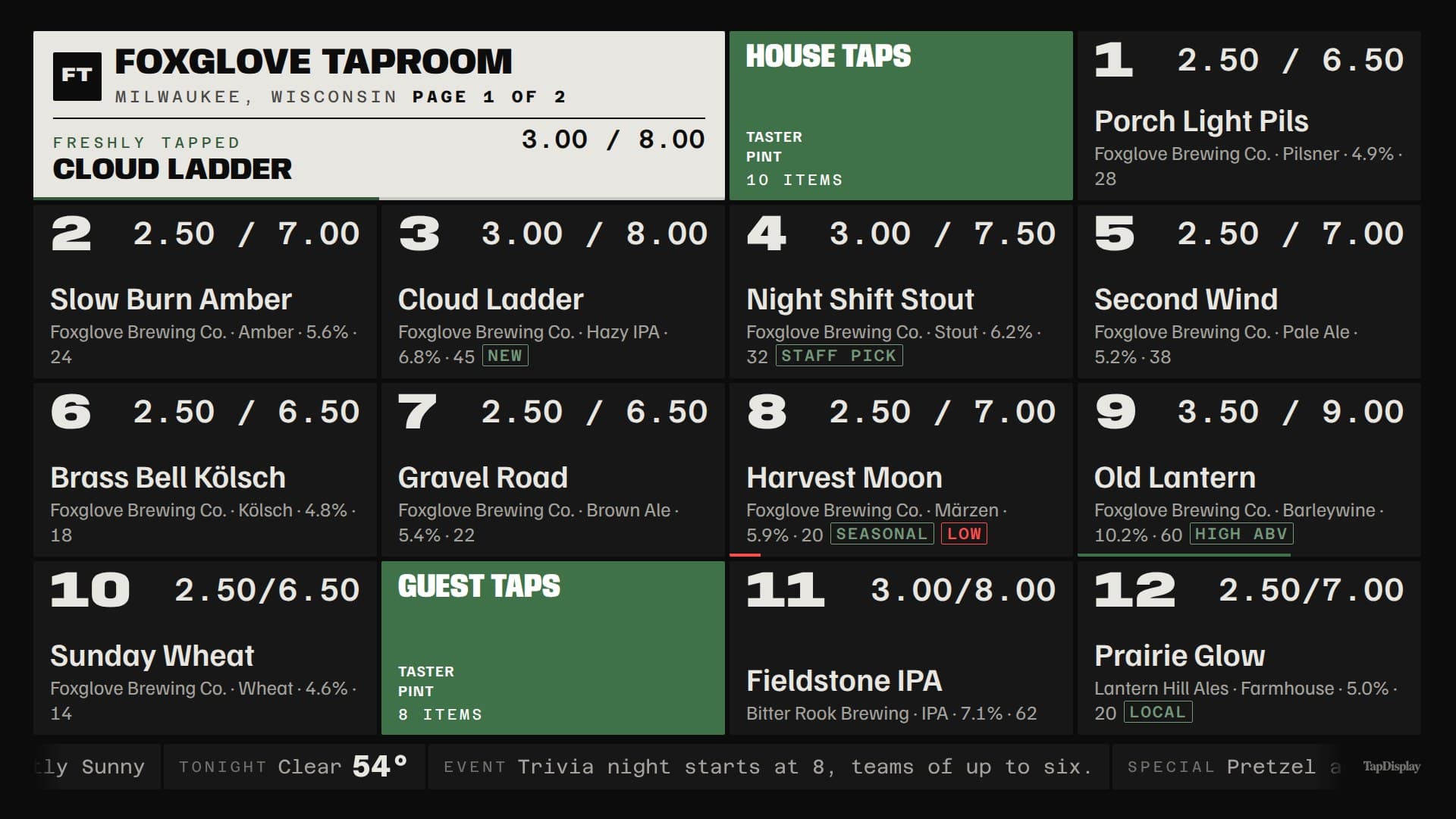
The tap list on the Tessera look
TRY IT
LOOK 1 OF 19 · SHOWN DARK

Tessera

A grid of tiles with big tap numbers.

Every look comes in light and dark, with your logo and your color.

Landscape or portrait.

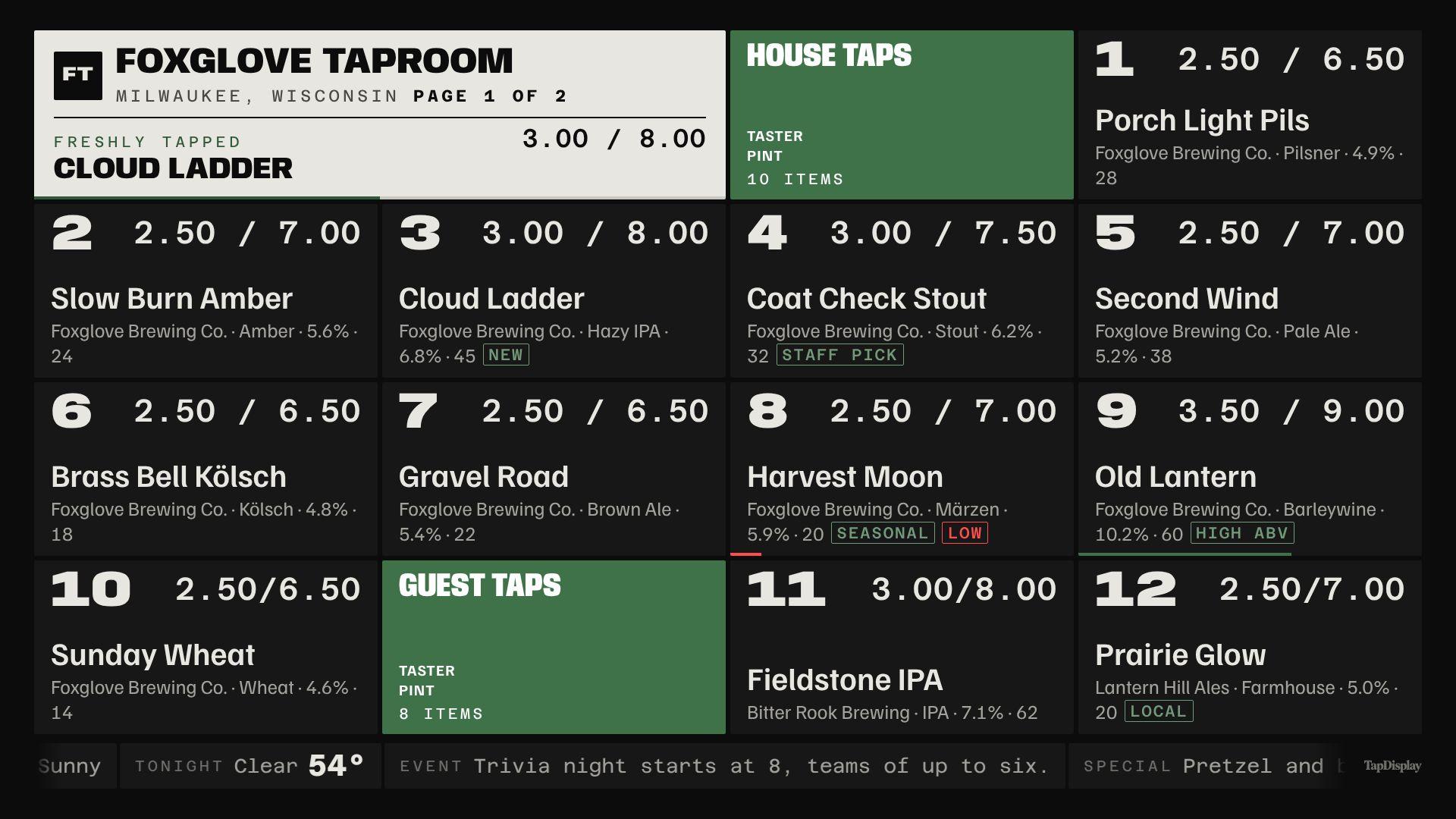
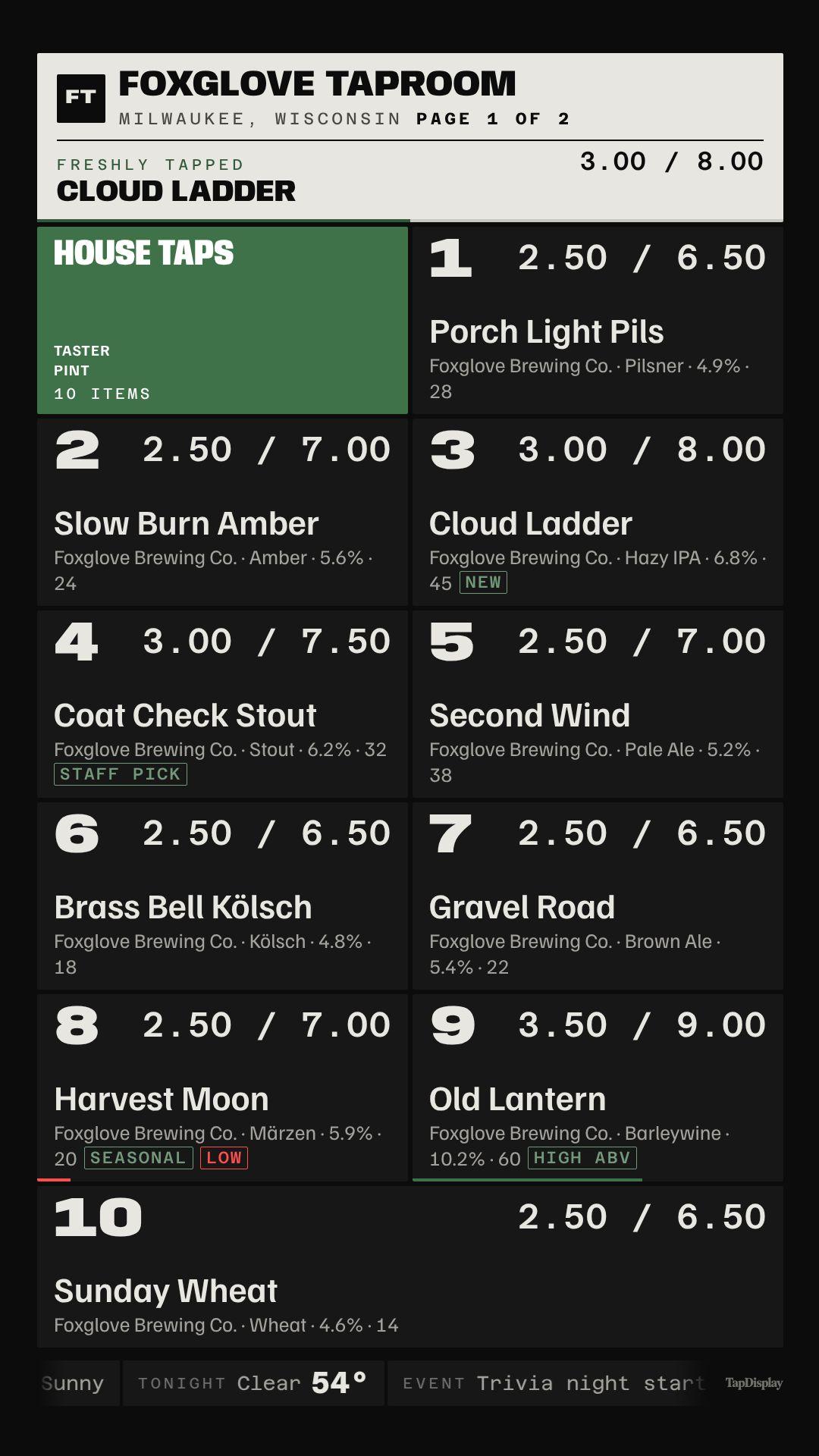
Hang the TV either way. Set each screen to landscape or portrait and the board fits the space.

The tap list on a TV hung portrait
The tap list on a TV hung landscape
TRY IT

Change it from anywhere.

Change the board from a phone, a tablet or a computer. Every screen updates within about 30 seconds.

Every item, one tap.

SIX STATES
  • AvailableShown as normal.
  • LowShown with a Low badge. A keg level can set it.
  • On deckComing next, on the screens that show what is on deck.
  • KickedStruck through, in your word for it.
  • HiddenKept on the menu, never shown.
  • ScheduledShown only between the times you set.

Change one with a tap, and undo it if you did not mean to.
Start typing.

THE CATALOG

Start typing a beer and the catalog fills in the brewery, style and ABV.

Bringing a list? Import a CSV file, or paste a list.

Owners, managers, staff.

YOUR TEAM
  • OwnerEverything, including billing and the team
  • ManagerThe menu, the screens and the looks
  • StaffThe menu and nothing else

The activity log shows who made each change.

Every screen in the building.

  • Unlimited screens per location.
  • Each screen picks its own sections and its own look. The backbar can show cocktails only.
  • Or flow one list across several TVs, an even share on each by default.
  • TVs on the same list turn their pages at the same moment.
  • A TV pairs with a 6 character code and shows TapDisplay's page in a browser.
  • Each screen tells you it is showing the latest, and you can reload one from the dashboard.
The bar TV on the tessera look
BAR · TESSERA
The patio TV on the concourse look
PATIO · CONCOURSE
The backbar TV on the daybook look
BACKBAR · DAYBOOK
ONE CHANGE, EVERY SCREEN

Live information on the board.

Each screen can carry live information beside the menu, in the order you choose. The look decides where it sits.

  • From the National Weather Service.

    WEATHER

    The forecast for your town, kept current.

  • Yours, on your schedule.

    EVENTS AND SPECIALS

    Each one with its own days and hours.

  • Kitchen closes in 45 minutes.

    COUNTDOWN

    A countdown to a time you set, on the days you pick.

  • Anything else.

    TEXT

    A line of your own, in the same band.

Food on the same board.

A section can be drinks or food. Each dish gets a line of description, up to 90 characters, and the look sets food in a column, a row or tiles.

It looks like your bar.

COLOR
Pick one of four, type any hex, or match your logo. Any color stays readable: the board adjusts the text that sits on it.
LOGO
Your logo in the look's logo slot, or your initials until you add one.
FEATURED
Call the featured beer Freshly tapped, or anything you like.
SCHEDULE
Change looks on a weekly, dated or yearly schedule, in your own time zone.
OVERSCAN
A margin setting for TVs that crop the edges of the picture.
BURN IN
The board drifts by a pixel or two over the day, for screens that never turn off.
TRY A COLOR

Put it on your own TV.

Fourteen days free, on your own menu and your own screens. Checkout takes a card, and billing starts when the 14 days end.

Start free trial